You’ve likely already scanned numerous QR codes without a second thought.QR codes are ubiquitous and are visible almost everywhere, from menus, receipts and business cards to product packaging, event tickets and email signatures.
QR codes can also be a practical option for freelancers for collecting payments, sharing project materials and exchanging contact information. Cyber attackers, however, are now taking advantage of this proliferation.
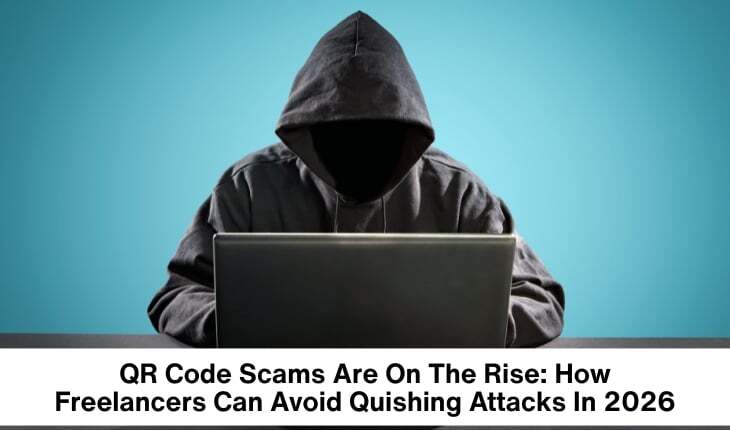
Quishing schemes, or QRishing scams, have progressed since their earliest versions in 2026.
Now rather than using email or texts to link you to a fraudulent URL, scammers are using QR codes to link you to scam websites. What once was just a quick scan now could result in you having your credentials stolen, device infected or money lost. For freelancers, there are some quishing scams to watch out for.
What is Quishing?
Quishing, the mashup of QR code and phishing, is an evolution of the common phishing scam.
Unlike traditional scams that utilize a malicious link via email or SMS message, a quishing scam uses a QR code as the delivery vehicle for connecting to fraudulent websites. This form of scam works because without a quick scan, you don’t know where a particular QR code will lead. This presents an opportunity for criminals to send you to a false website.
You might see QR codes that appear to take you to services like
Microsoft 365,
Google Workspace or PayPal,for example. The attacker will try to fool you into entering your login and password to one of these sites so they can get unauthorized access.
Why Freelancers Are the Perfect Target
Freelancers work alone, without an IT team overseeing their internet security, and use numerous online services daily-all reasons that they’re seen as easy prey.
Freelancers do any of the following regularly:
- Get billed by a new customer
- Scan QR codes to pay/get paid
- Store files in the cloud
- Visit coworking spaces
- Attend networking events
- Travel with public WiFi.
So, Cybercriminals set up attacks that can be easily embedded into their daily workflow.
Some common QR code scams for freelancers to be aware of:
1.Fake Payments
Sending an invoice to a freelancer from a new client-and it asks them to scan a QR code in order to receive payment, or even an initial payment-is one such method. Scanning that code takes you to what appears to be the familiar interface of a payment processor. However, the fake website can harvest login details of an unwary freelancer.
2.Scammy Client Portals
Attackers might craft phoney websites that mimic project management portals or cloud file-sharing services.
Your freelancer client or the platform they work through could potentially want them to access files or contracts via QR code for an urgent job-but what is actually accessed is a fraudulent web page, and any credentials a freelancer provides are stolen.
3. Malicious Software Downloads
Some fake QR codes promise access to what would appear to be up-to-date accounting software, valuable design templates, innovative AI tools, or new security software.
Instead of receiving actual helpful software, you install malware that captures login details or keyloggers that record your keystrokes.
4. QR Code Stickers
It’s a newer form of attack, where malicious actors cover up real QR codes found on menus, parking meters, information stands, airport information screens, or event signage with fake stickers.
When you scan the scam code, you’re directed to a malicious website.
Quishing Warning Signs
While the nature of QR codes may obscure where they take you, there are still indications to look out for.
If you should be suspicious when:
You are encouraged to scan the QR code immediately.
The email you received does not seem to originate from your usual source.
After scanning the code, you are asked to log in to an account.
You are prompted to enter personal or sensitive information that you weren’t anticipating, or are not usually asked for.
The web address of the resulting site appears unusual, or includes spelling mistakes.
The deal that you are offered seems too good to be true.
Trust your gut, and do some research before scanning.
How Freelancers Can Avoid a Quishing Attack
Fortunately, it isn’t hard to avoid a quishing attack, even if you aren’t tech-savvy. All that it takes is a few safe practices to go a long way. Because quishing attacks commonly target people’s account login details, one simple yet effective way to stay protected is to use a reputable password manager. If you’re not familiar with the options available, check out this list of the best password managers for freelancers (free and paid options).
Verify before you scan:
Don’t automatically trust every QR code.
If you’re communicating with a client and are sent a QR code, confirm its intention with them directly, particularly if you are asked to log in to something or make a payment.
Preview the website:
Most newer smartphones display a URL preview that you can examine before clicking through.
Review this URL carefully for anything unusual such as;
- paypaI.com (a capital I instead of an L),
- microsoft-login.com, or
- googledocs-security.com .
Small changes may make you the victim of a scam.
Don’t Log In After Scanning
Whenever you can, refrain from logging in or entering passwords after scanning a QR code.
Instead, close the page and manually navigate to the company’s official website through your browser.
Keep Your Phone Updated
Security updates address security holes that are commonly exploited by attackers.
Set up your smartphone to install automatic updates and keep your browser and other apps updated regularly.
Enable Multi-Factor Authentication
The presence of a stolen password isn’t quite as critical if you use multi-factor authentication (MFA).
Wherever you see MFA as an option, enable it for:
- Email accounts
- Cloud storage
- Payment sites
- Freelance platforms
- Banking apps
- Use Mobile Security Software
Mobile security apps can block malicious websites, phishing scams and risky downloads before they cause any problems.
While not foolproof, they provide an extra layer of defense.
A Real-Life Example
Sarah is a freelance graphic designer and receives a convincing email from what seems to be a new client: “Could you scan this QR code to review the project brief?”
she is asked.
Sarah scans the code and lands on a site that perfectly mimics Google Drive. She enters her Google password without any second thoughts.
A few minutes later, scammers have access to her email, cloud storage, and confidential project documents saved there.
If she had typed “drive.google.com” into her browser instead of blindly following the QR code, the attack would have been a failure. The example illustrates the deceivingly persuasive nature of quishing attacks.
What If I Scan a Malicious QR Code?
We all make mistakes.Quick action can reduce the damage. If you believe you may have scanned a malicious QR code:
If your phone begins downloading malware,
- disconnect it from the Internet immediately.
- Change all of your passwords immediately on a trusted device.
- Activate MFA if you don’t already use it.
- Monitor your financial accounts for any suspicious transactions.
- Run a malware scan on your phone. Inform clients if they’re potentially exposed to sensitive data.
The sooner you act, the better your chances of preventing serious harm.
Final Thoughts
The Bottom Line. QRs make your tasks easier and life smoother, but not at the cost of your safety. With the continued evolution of quishing scams in 2026, you must approach every random QR code you encounter with the same wariness you would for a suspicious email link.
Take a few moments to check out what a QR code does, peek at where it is sending you, and refrain from typing your password to any unknown Web site, you’ll guard against stolen accounts, loss of finances, and compromised client accounts.
Remember, cybersecurity does not solely rely on corporations. In order to be able to continue providing clients with high-quality service without risk, you must learn to defend your own devices and online accounts, so you can continue to benefit from QRs at their intended function.